SpotifyDeck-V2
A downloadable SpotifyDeck for Windows
PLATFORM
Windows only (AutoHotkey + Windows build). Not Linux as-is.
Simple app:
Deck-style Spotify control for streamers / desk use — hotkeys, mappings, and tray helpers.
Set up to 40+ playlists and soundboard sounds from "ctrl + shift+ number keys. use tilda key to swap record or deck to access next set of 1-0 on keyboard!
Unzip the release folder, run the SpotifyDeck launcher/exe from dist, keep config and data with it. Spotify Premium required for API control (as of the app notes).
Download
Install instructions
## spotifydeck local control service
Local Node.js service with cartridge-based routing:
- **Playlist Cartridges**: Spotify Web API control in two 12-key banks (`message1..12`, `message13..24`)
- **Sound Cartridges**: Local audio playback in two 12-key banks (`message1..12`, `message13..24`)
### Features
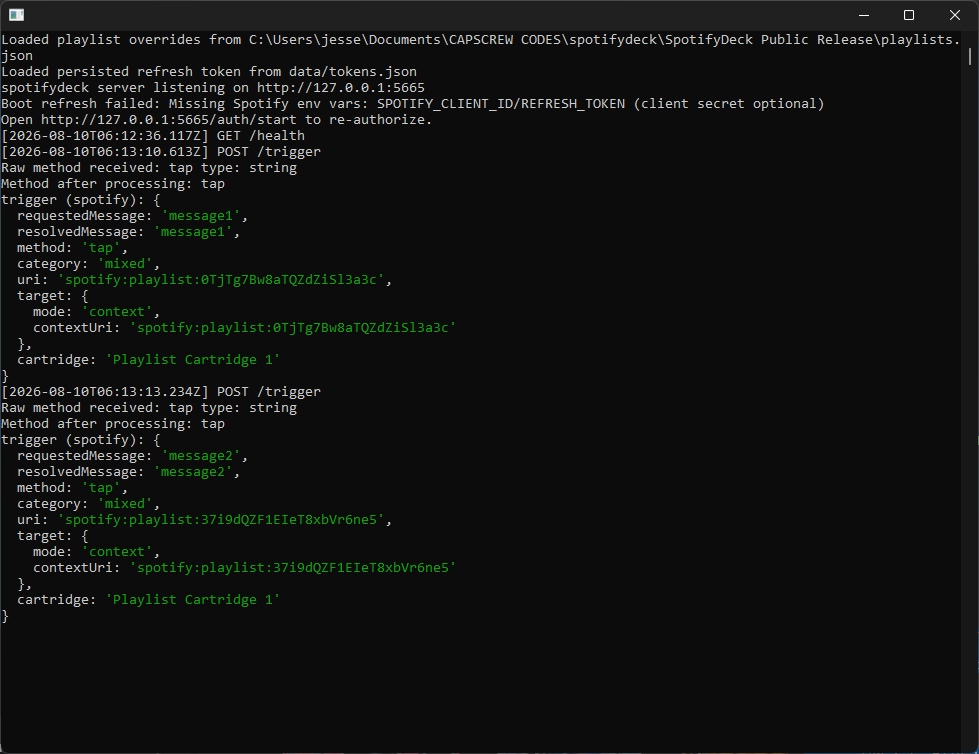
- **Tap/Double/Hold Detection**: Each hotkey supports 3 different actions
- **Tap**: Mixed
- **Double-tap**: Suspense/Intense (Spotify) and Funny (Sound)
- **Hold**: Chill (Spotify) and Scary (Sound)
- **Cartridge Cycle**: `Ctrl+Shift+~` cycles:
- Playlist Cartridge 1
- Playlist Cartridge 2
- Sound Cartridge 1
- Sound Cartridge 2
- **12 Trigger Hotkeys**: `Ctrl+Shift+1..0,-,=` drive active cartridge bank
- **Categories & Comments**: Organize your playlists and sounds with metadata
### Setup
1) Install Node.js 18+.
2) In this folder:
```
npm install
```
3) Create a `.env` file with:
```
SPOTIFY_CLIENT_ID=your_client_id
SPOTIFY_CLIENT_SECRET=your_client_secret
SPOTIFY_REFRESH_TOKEN=your_refresh_token
PORT=5665
```
4) Edit `config/mapping.json` with your Spotify URIs and sound file paths
5) Place sound files in `SoundDeck Addon/` folder
6) Run the AutoHotkey script: `spotifydeck.ahk`
### Run
```
npm run start
# or for development with auto-restart:
npm run dev
```
Health check: `http://127.0.0.1:5665/health`
### Hotkeys (AutoHotkey)
- `Ctrl+Shift+1..0`: Trigger message1..message10
- `Ctrl+Shift+-`: Trigger message11
- `Ctrl+Shift+=`: Trigger message12
- `Ctrl+Shift+~`: Cycle cartridge (`Playlist 1 -> Playlist 2 -> Sound 1 -> Sound 2`)
- **Input Methods**:
- Quick press = Tap
- Double press = Double-tap
- Hold 0.5s+ = Hold
### API Endpoints
#### Trigger Playback
POST `http://127.0.0.1:5665/trigger`
```json
{
"message": "message1",
"method": "tap|double|hold"
}
```
#### Cartridge/Mode Control
```bash
GET /cartridge # Active cartridge state
POST /cartridge/cycle # Advance cartridge cycle
GET /mode # Legacy compatibility, includes cartridge info
POST /mode # Legacy mode setter (maps to cartridge 1)
POST /mode/toggle # Legacy alias for cycle
```
#### Mappings
```bash
GET /mappings # View all mappings
POST /mappings/reload # Reload from mapping.json
```
### Configuration Structure
`config/mapping.json`:
```json
{
"spotify": {
"message1": {
"tap": { "uri": "spotify:playlist:...", "category": "mixed", "comment": "Workout mix" },
"double": { "uri": "spotify:playlist:...", "category": "suspense/intense", "comment": "Action music" },
"hold": { "uri": "spotify:playlist:...", "category": "chill", "comment": "Relaxing tunes" }
}
},
"soundboard": {
"message1": {
"tap": { "file": "0000_torbjrn_ready_to_bark.wav", "comment": "Ready to work" },
"double": { "file": "0001_retirement_looks_good_on_you_anna.wav", "comment": "Compliment" },
"hold": { "file": "0002_arent_we_too_old_for_flattery.wav", "comment": "Sarcastic response" }
}
}
}
```